
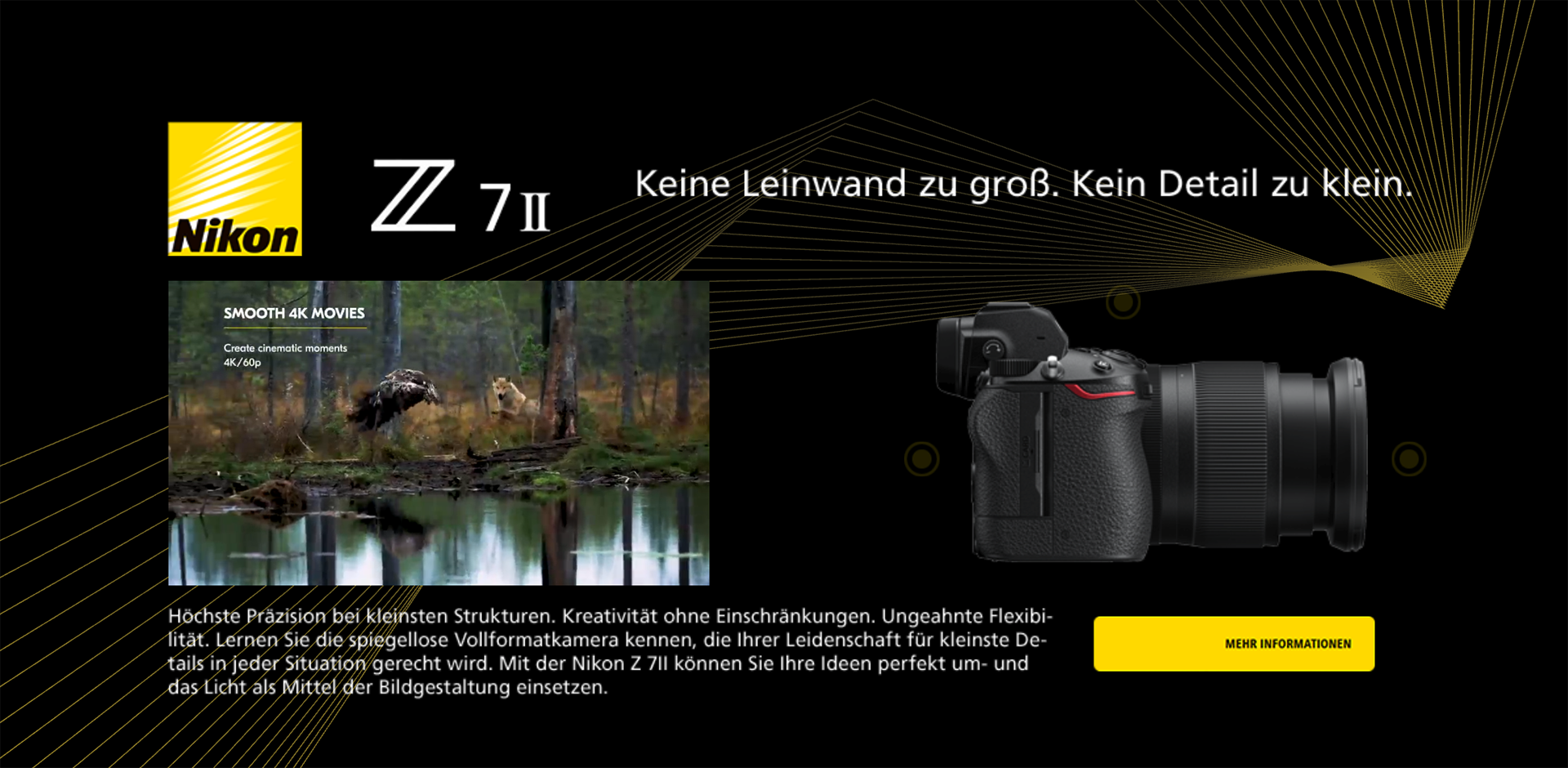
Interactive Scroller Banner for Nikon
Interactive HTML5 scroller banner created for Nikon and tailored for the German market. The client provided the product images and video, and my task was to transform these static assets into a dynamic, engaging experience that showcases the camera from all sides without relying on a 3D model - a key requirement due to technical restrictions on the banner format.
The banner loads with the camera displayed on the left side, accompanied by subtle flashing yellow hotspots. Each hotspot reveals a different angle of the product, allowing users to explore the camera in detail while maintaining a lightweight, ad-network-friendly implementation. The scrolling motion, combined with external video and smooth transitions, creates a visually rich and modern presentation that remains true to Nikon's original product photography.
All product images, videos, logos and branding elements used in this project were provided by the client and remain the property of Nikon. They are included here strictly for demonstration purposes within this portfolio.
The scroller banner was designed to feel fluid and immersive as the user moves through the page. The camera remains visually static while the viewport reveals different parts of the banner, creating a premium parallax-style effect that feels natural within the portfolio layout.
The main challenge was presenting the camera from multiple sides without using a 3D model. The ad network's technical limitations made real 3D rendering impossible, so the solution had to rely entirely on static images and timeline-based animation inside Adobe Animate, while still feeling interactive and modern.
To solve this, I created a multi-angle system inside Adobe Animate, using carefully prepared product images and custom scripting. Each hotspot triggers a seamless switch to another camera angle, giving the impression of rotation without any 3D assets. The portfolio implementation mirrors this behavior while integrating smoothly into the page structure.
Technologies Used
Adobe Photoshop - Adobe Animate - HTML5 Canvas - CSS - JavaScript